Sales overview
Start the day with the numbers that need attention.
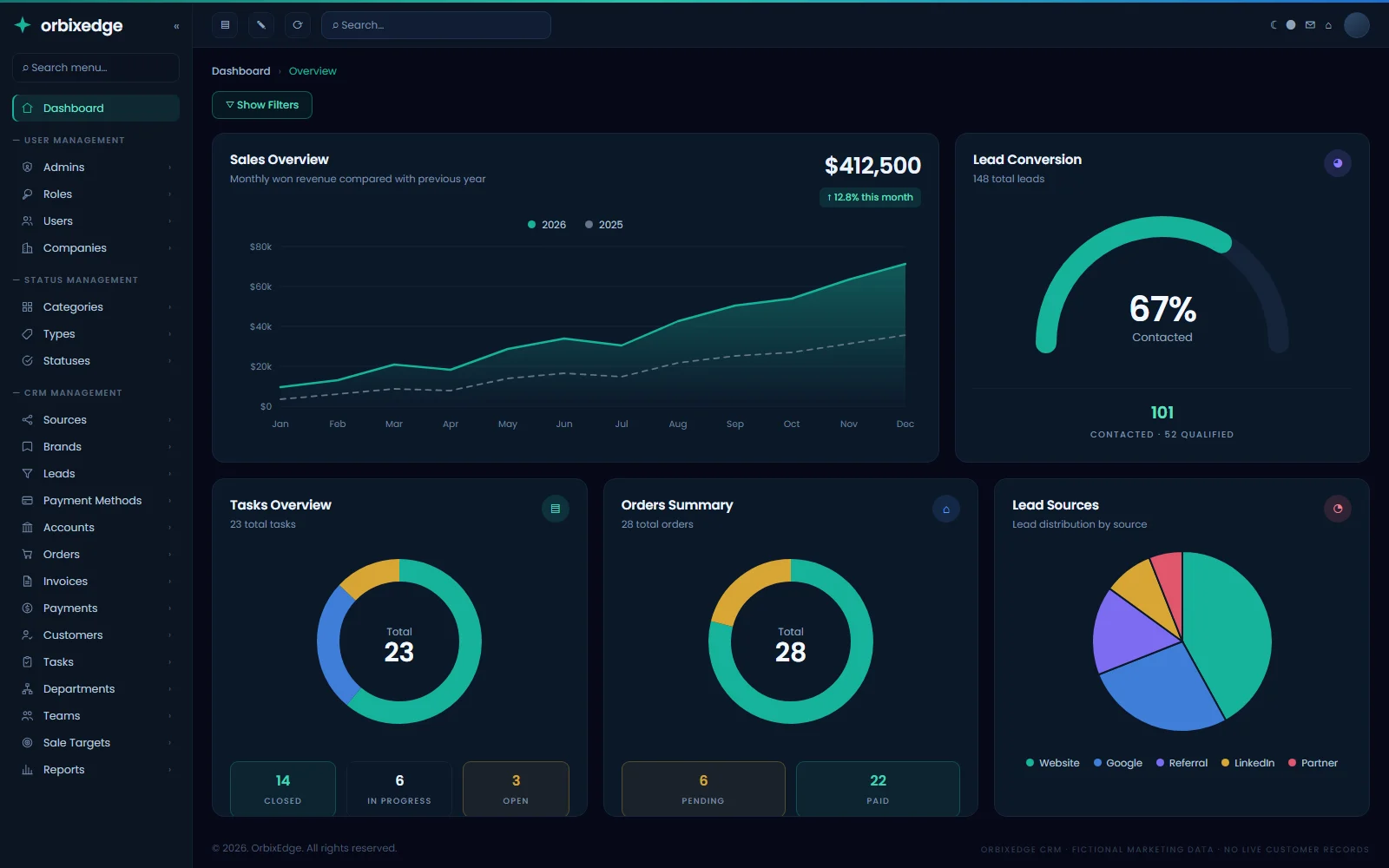
Review pipeline, active leads, won revenue, collection health and conversion from the real OrbixEdge CRM dashboard.
New Explore our latest software and cloud engineering insights. Explore Blog

Register your company, connect each brand site to the CRM through its own lead API, then follow every enquiry from coordination to orders, payments and the work your team delivers — on one record.
One connected record
Most systems stop at the moment a deal is marked won. OrbixEdge CRM is being designed to carry the same record further — into the order, the payment and the work your team still has to deliver. It is built by the same team behind our custom software development services.
Preview workspaceA coherent sales scenario across every screen.
Sales overview
Review pipeline, active leads, won revenue, collection health and conversion from the real OrbixEdge CRM dashboard.
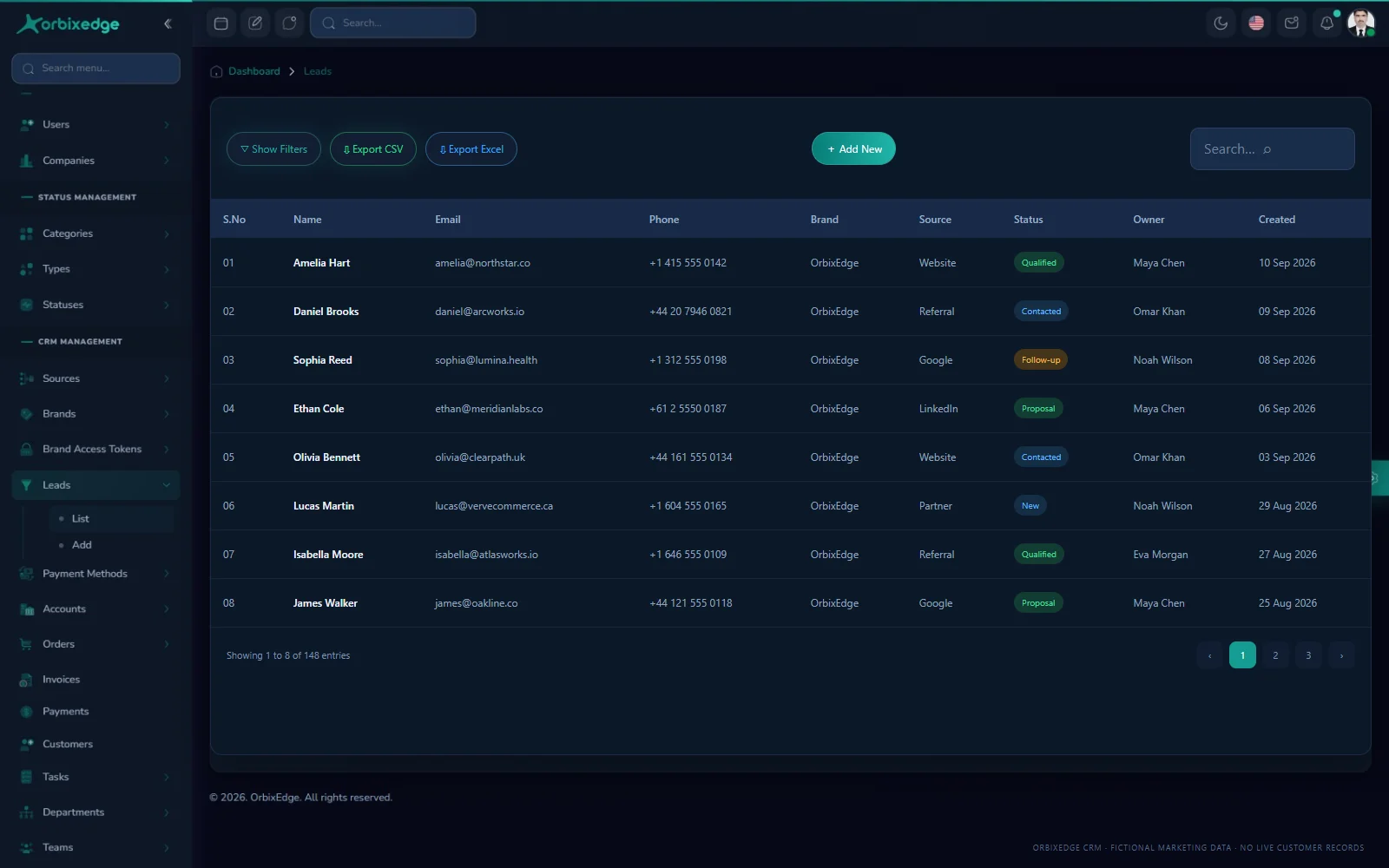
Lead management
Qualify leads with their source, status, brand and owner in the same working view your sales team uses.
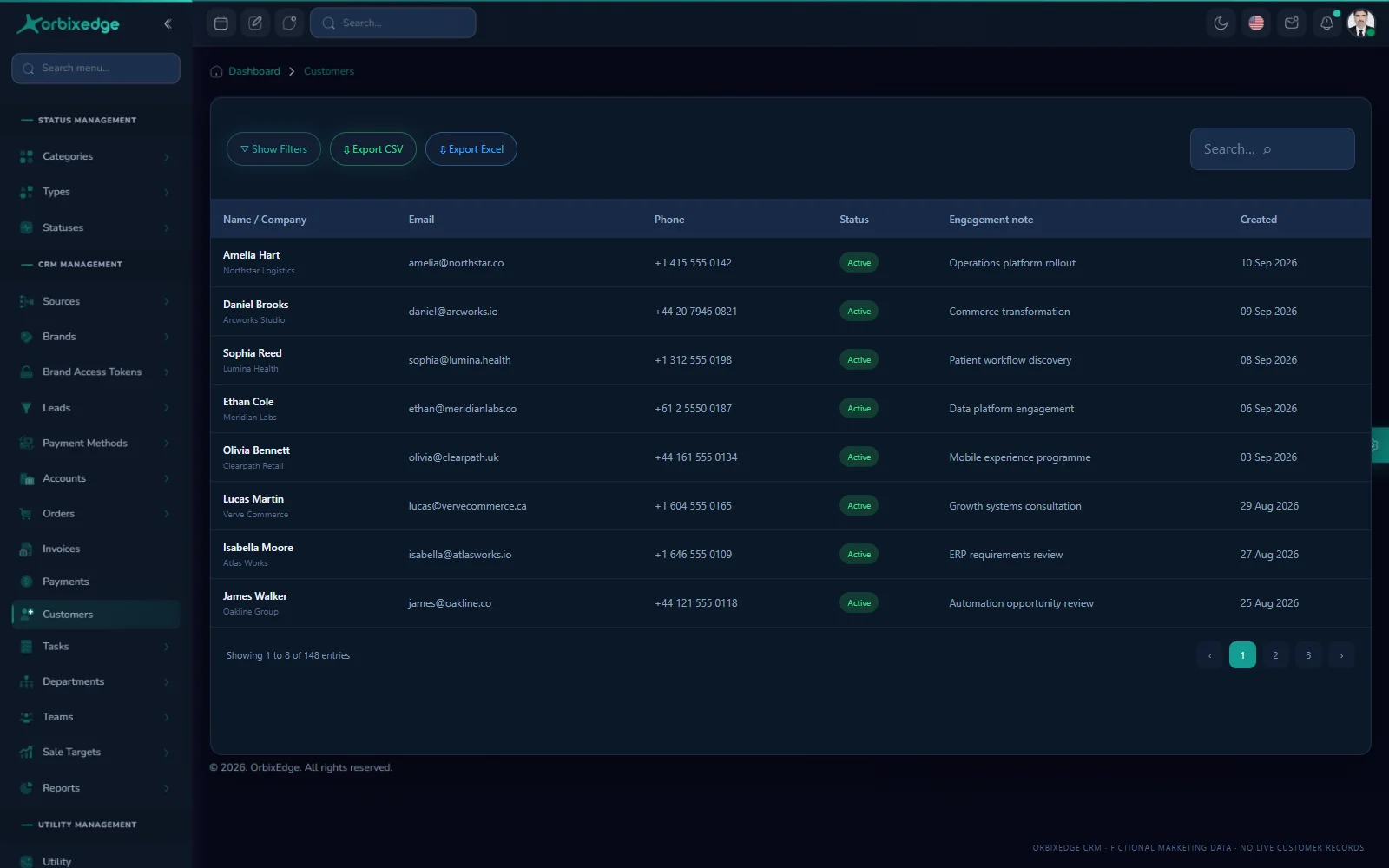
Customer context
See people, companies, contact details and active engagement notes together in one dependable customer record.
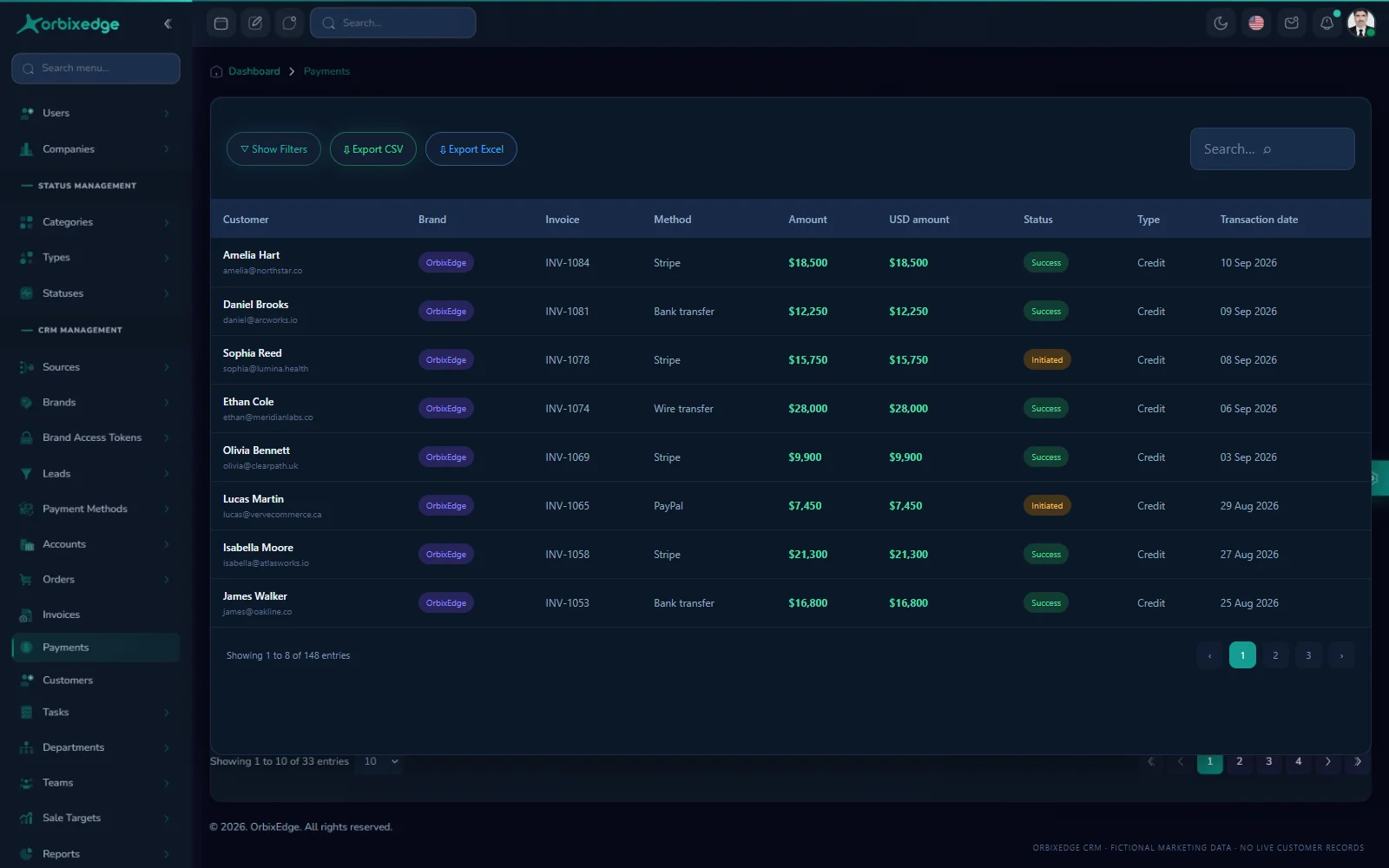
Payment visibility
Connect invoices, methods, currencies and payment status to the customer and commercial record behind them.
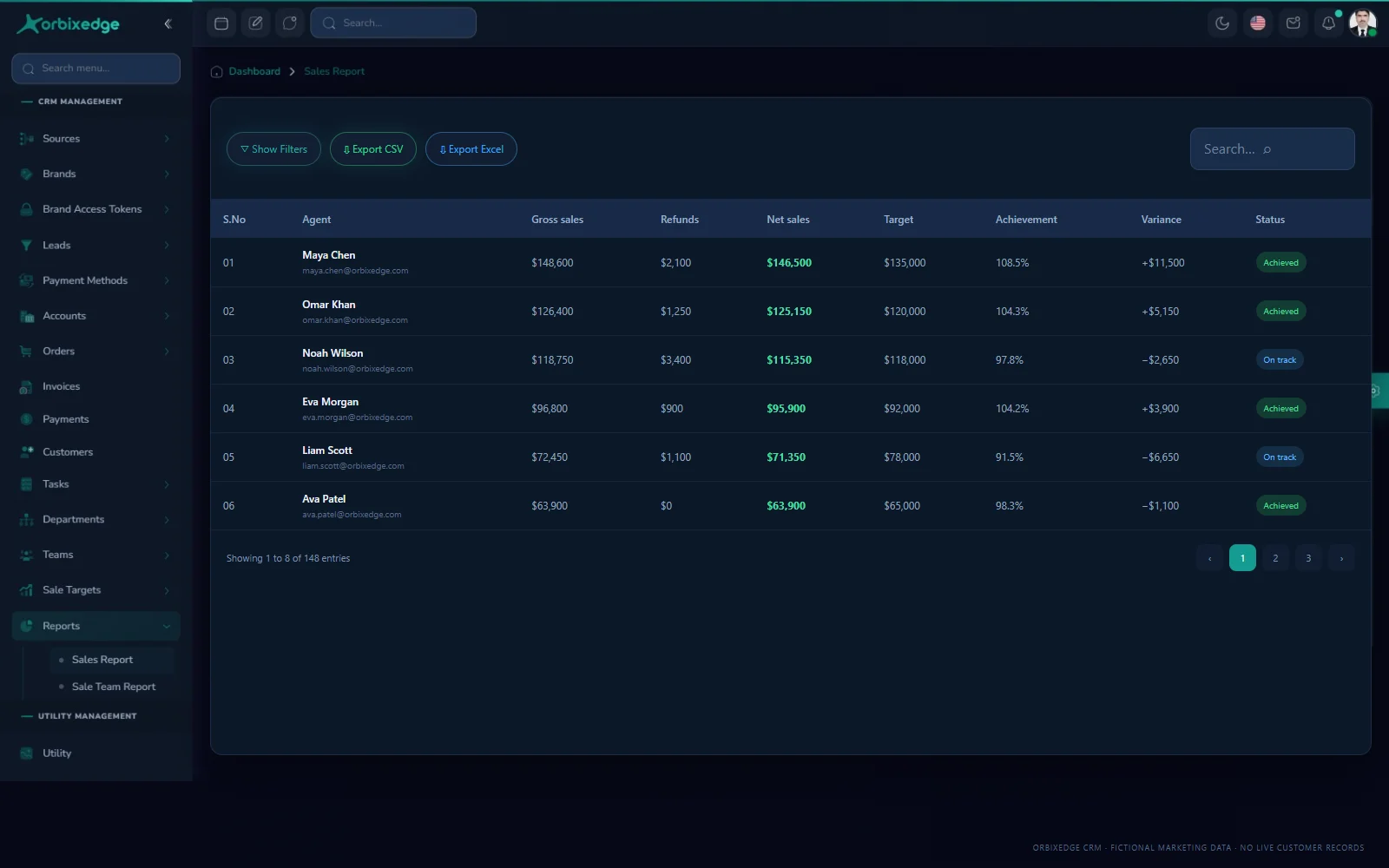
Performance visibility
Compare gross sales, refunds, net revenue, individual targets and variance with reporting designed for decisions.
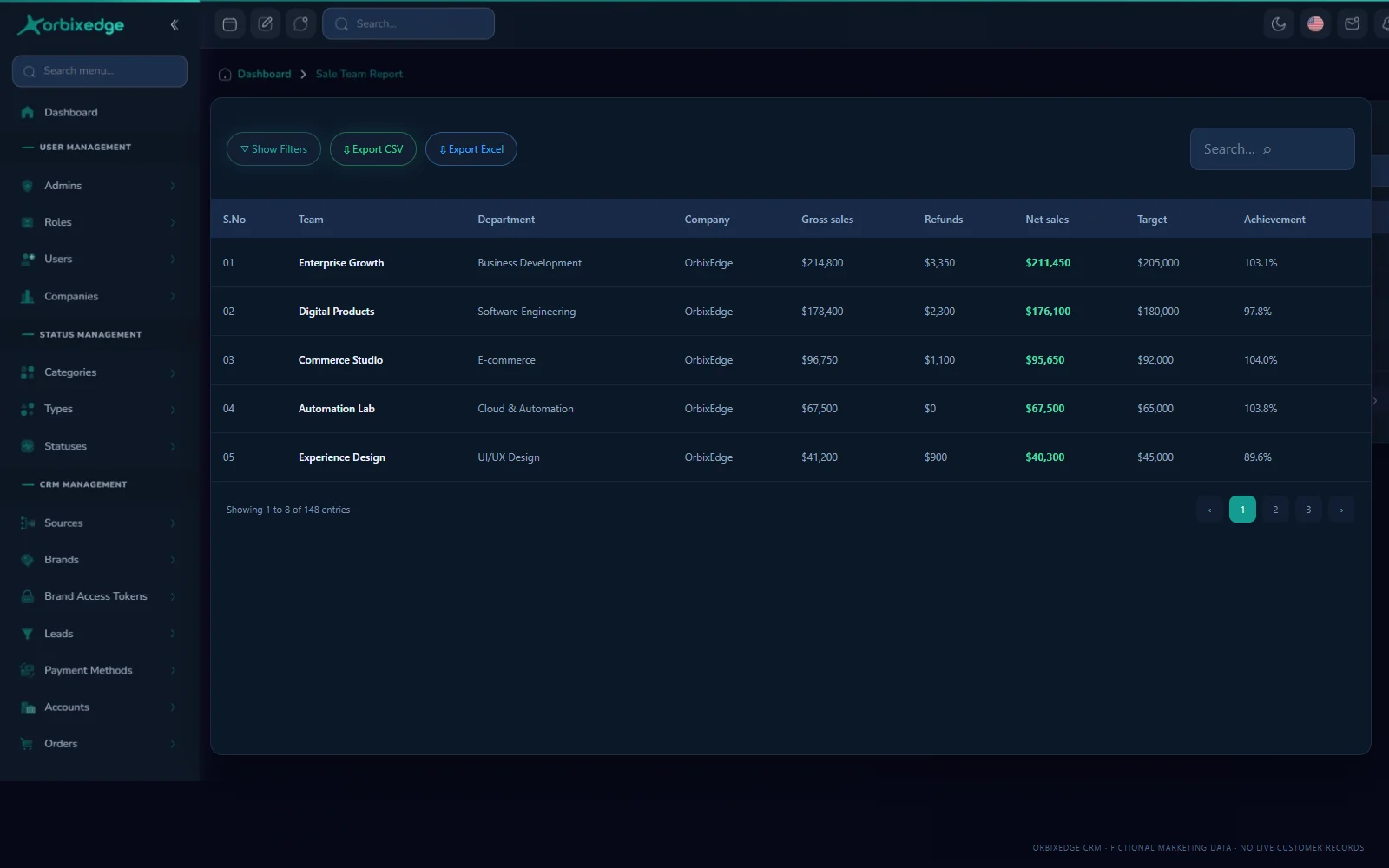
Team intelligence
Connect departments, team revenue, refunds and target achievement without building another spreadsheet.
Actual OrbixEdge CRM interface, prepared as a marketing preview with fictional records and a consistent sales scenario. Final module scope may evolve during development.
Built for more than one brand
You register the company once. The users, roles, departments and teams belong to it — and every brand you trade under sits inside, sending its enquiries to the same pipeline without sharing one master key.
POST /api/leadsBrand access tokenOne lead pipeline
On the roadmap
Enquiries do not only arrive through a form any more. We are building lead capture and client messaging for the channels your customers open first, so a WhatsApp conversation lands on the same record as everything else.
Receive enquiries and reply to clients without leaving the lead record.
In developmentPull lead form submissions and page messages into the same pipeline.
In developmentTurn direct messages and enquiries into leads with their source attached.
In developmentThese channels are not part of the current preview. Availability and scope may change while the product is being built.
The connected record
Each module is useful on its own. The real value comes from carrying the same customer context from a new lead into the work, money and reporting around it.
Register every brand you run, issue it an access token and receive its enquiries straight into one pipeline.
Capture enquiries with their brand, source, owner and status so the whole team works the same record.
Carry the agreed scope into orders, payment methods and currencies, then reconcile the payment against it.
Assign the sold work as dated tasks so every promise has a named owner and a due date.
Create users, set role-based access and organise departments, teams and their sales targets.
Lead, order, invoice, payment, agent target and team target reporting built from the records themselves.

A clearer sales flow
Each brand posts its enquiries through the lead API — no re-keying, no spreadsheet imports.
The lead lands with an owner, status and source so the sales team works it together, not in separate inboxes.
Turn the agreed scope into an order on the customer record, with its payment method and currency.
Issue the invoice, take the payment and see it reconciled against the order it belongs to.
Assign the sold work as dated tasks so what was promised has a named owner and a due date.
Compare leads, orders, payments, agent targets and team targets to see what is actually working.
Reporting
Every report reads the same leads, orders, invoices and payments your team works in, so the numbers in a review are the numbers in the system. Each one can be filtered to a single brand, team or period.
Volume, source, brand, owner and status movement, so you can see which channels actually produce work.
What was sold, against which brand and customer, and how the value is spread across the period.
What has been issued, what is part-paid and what is still outstanding against each account.
Received payments by method, currency and date, reconciled against the order behind them.
Each agent against their target: gross sales, refunds, net, achievement percentage and variance.
The same comparison by team and department, so you can see who needs support or more runway.
Report scope is still being expanded while the product is in development.
Control without clutter
Create users, assign roles and separate administration from the work each department and team actually needs to perform.
Connect individual and team targets with achieved sales, refunds, variance, brand performance and lead source results.
Keep brands, customers, orders, payments and delivery work in defined records instead of scattered messages and spreadsheets.
Private product preview
We are speaking with teams that manage leads, follow-ups, orders and payments across disconnected tools. A private preview is a chance to show us your workflow and see the direction of the product. If you would rather talk through a bespoke build, book a consultation or read our case studies first.
What we’ll discuss
Product questions
The product is in active development. It is being built as a hosted service where you register a company account and manage your brands, users and sales work inside it. Private previews help us validate workflows and prioritise the right first release.
Each brand you register gets its own access token, so its website or landing page can post enquiries straight into the CRM through the lead API. Leads arrive already tagged with the brand and source they came from.
Yes. Brands sit inside your company account, sharing the same users, roles, departments and teams. Reporting can be filtered to a single brand or viewed across the whole group.
That is the intent. An order carries its payment method and currency, the payment is reconciled against it, and the delivery work is assigned as dated tasks so the same record covers the sale and the work that follows.
Receiving leads and messaging clients on those channels is in active development and is not part of the current preview. We would rather show it working than promise a date.
No. The previews use a fictional but internally consistent sales scenario. No live customer or CRM account data is used on this marketing page.